
“Believe in the heart of the cards. Then check the pull rates.”
Real odds from real packs, opened by collectors everywhere, not one shop.
“Believe in the heart of the cards. Then check the pull rates.”
A shop opens a case, films it, and publishes the numbers. That tells you what was in their case — from one print run, one distributor, one week. It says very little about the pack sitting in front of you.
MasterSets does it the other way round. Collectors log the packs they open anyway, and the site adds them up. Thousands of packs from different countries, cases and months is the only sample that actually reflects the odds — and every number shows how many openings are behind it.
Not one shop's box. Everyone's.
Every set with logged openings has one. Here is what is on it — and a live one to look at: Lorcana · Wilds Unknown pull rates.
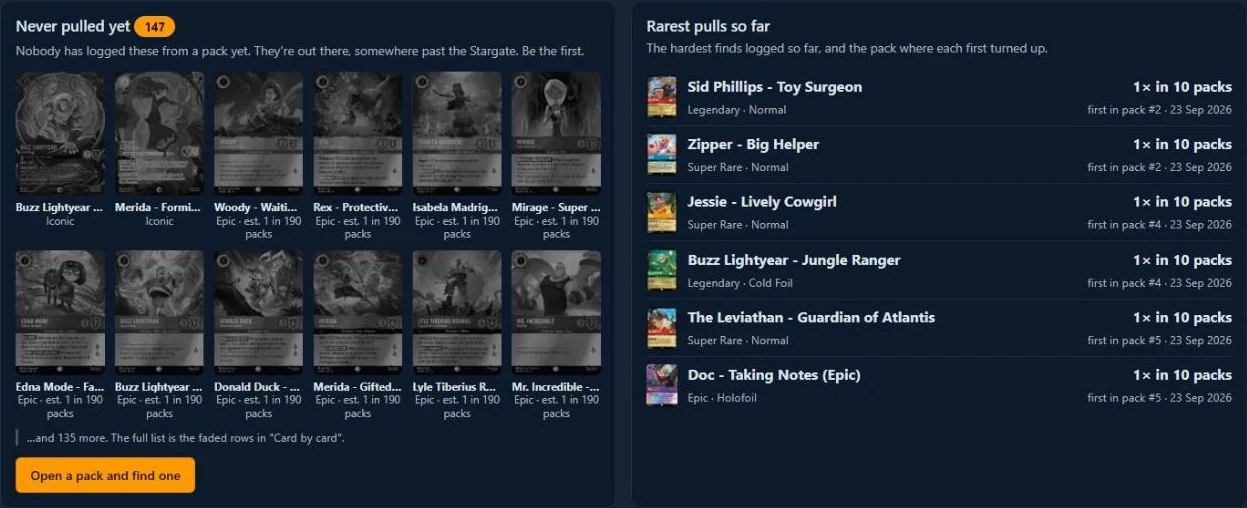

Sets with no openings yet show a single button: Be the first — open a product. That is where you come in.
Works for one pack or a whole case, on the site or with the scanner app.
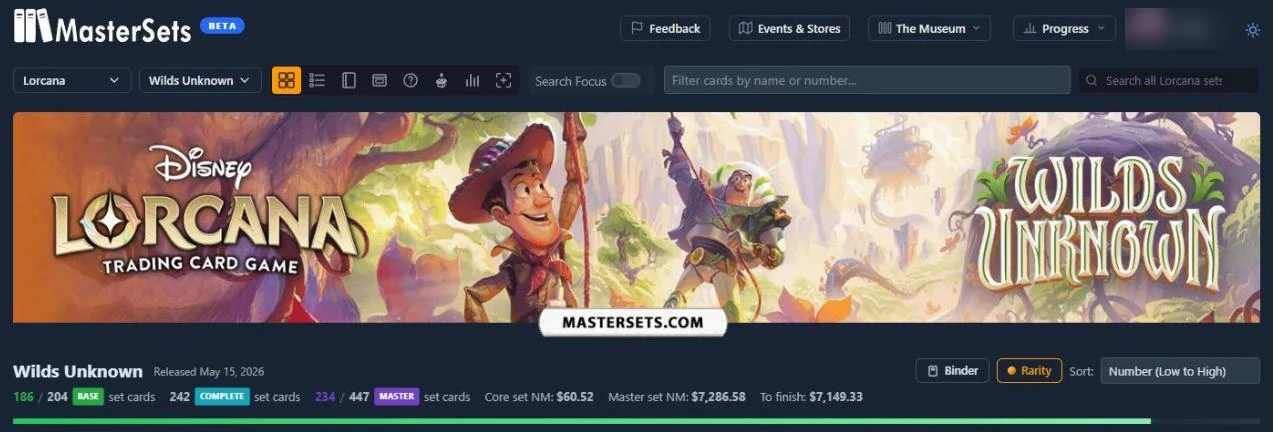
Go to the game, then the set. Log in first — openings are tied to your account so the cards end up in your collection.

In the row of view icons, tap the little box with the arrow: Open a box, bundle or packs.
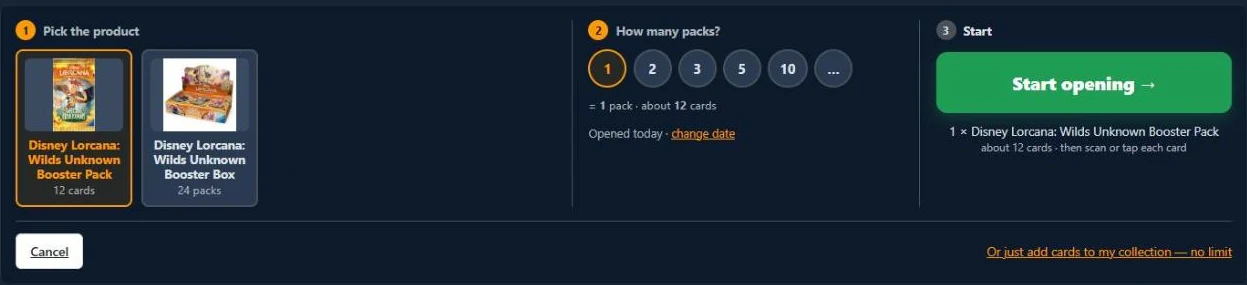
Pick the product — a booster box, a bundle or single packs — then how many, and tap Start opening →. Opening loose cards with no product? Use Or just add cards to my collection instead; that goes to your collection but not to the stats.
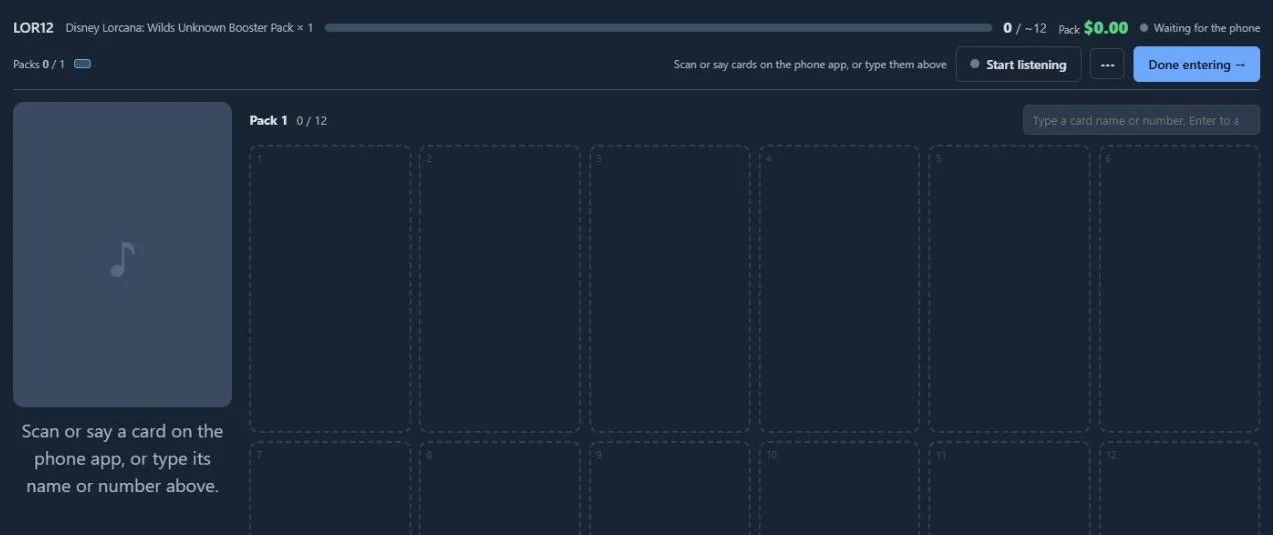
One slot per card in the pack. Type a name or number and press Enter, scan or say it with the phone app, or open the ··· menu and switch to the card grid. When the last pack is empty, tap Done entering → and every card is marked owned in your collection. Not finished? Pause — finish later in the same menu keeps the session open.
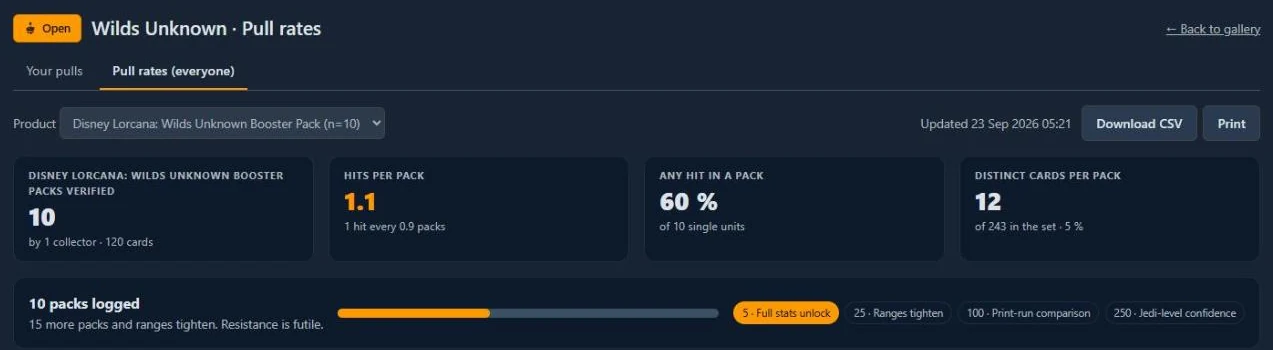
Your opening appears under Your pulls right away. Once it passes the plausibility check it joins Pull rates (everyone) — welcome to the Rebellion, you are now part of the sample everyone sees.
A shop's pull-rate page is one case from one print run. Ours is every collector's openings, from different countries, cases and months. That is the only way to see the real spread.
A brand-new account's first opening is held until a second one is finished. It costs an honest collector nothing and removes most drive-by nonsense.
A box with far more hits than the set averages, or more copies of one card than its packs could hold, stays in your collection but out of the statistics.
Every rate carries the number of openings behind it, and a progress bar shows how far the set is from the next milestone: full stats at 5 openings, tighter ranges at 25, print-run comparisons at 100. You always know how much to trust the number.
Pull rates are aggregates. No names, no countries, no prices. What you paid for the box is never part of it.
No. Single packs have their own entry. A thousand single packs from a thousand people is a better sample than one person's case.
No. On the web you type each card's name or number, or tap it in the card grid. The scanner app just makes it faster: scan or say each card as you flip.
Any set on MasterSets with a sealed product enabled for opening. If a set you are opening has no open-box icon yet, tell us and we will add its products.
Yes. Every opening you finish is kept under Your pulls on that set, with the cards inside it and your hit count.
Your first opening is verified once you finish a second one. After that, openings count as soon as they pass the plausibility check.
No. A video shows you one box. This shows you every box, bundle and pack that collectors have logged, averaged together, with the sample size next to it.
Open what you were going to open anyway, count it on the set page, and add it to the only pull-rate sample that isn't one shop's box.
Pick a set and open it See a live example